One effortless flow for paperwork, files and proof.

The effortless way to handle every document.

Scan paper, import PDFs, save receipts, mail attachments and proof photos — then file, find and share everything through one simple workflow.

Do it right once. Find it anytime.

Off your table. Out of your head. Ready when needed.

  • Local-first
  • Your own cloud optional
  • Export local docs
See how it worksComing soon for iPhone
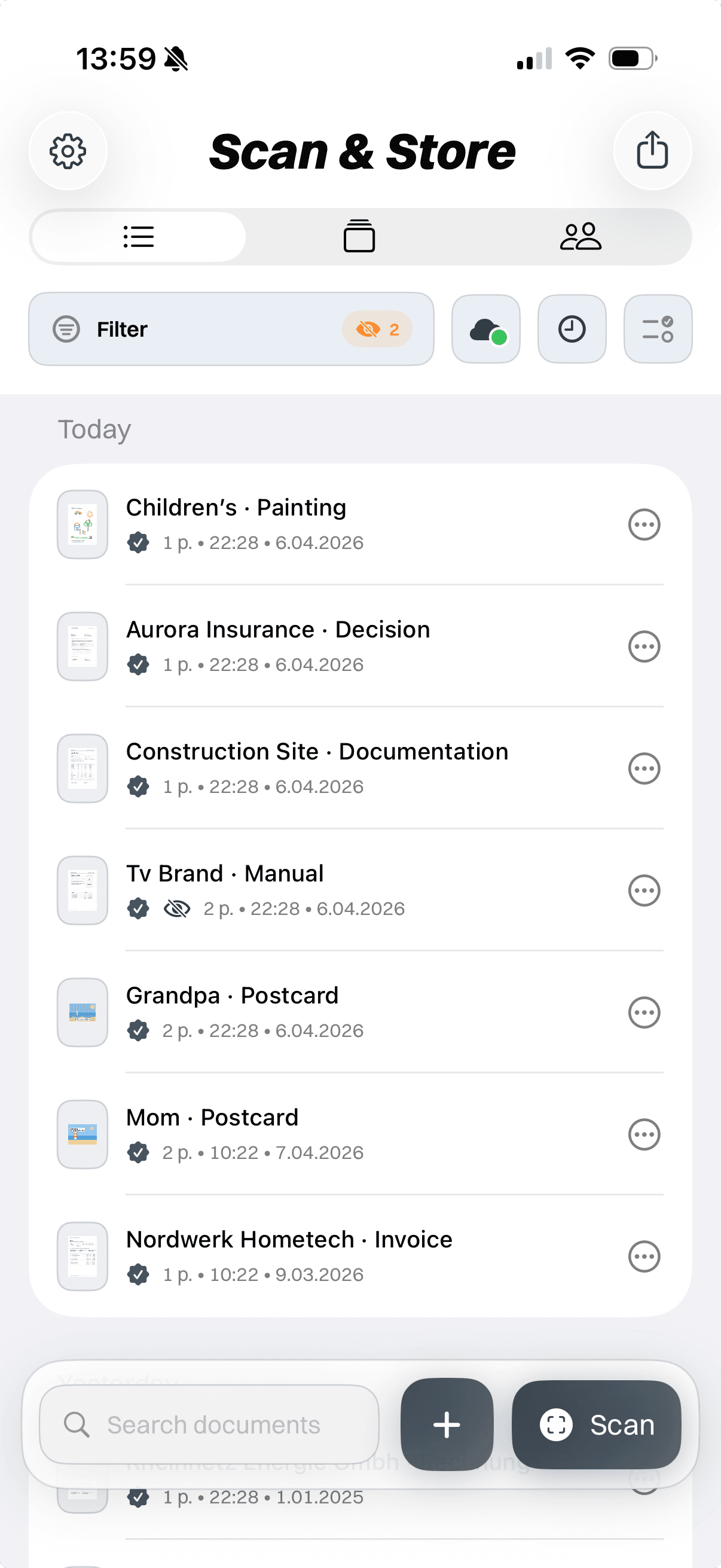
Scan & Store archive overview
iPhone bezel frame

One simple answer for every document that comes in.

Everyday paperwork creates the same questions: Where should this go? Do I need to act on it? Will I find it later? Can I share it quickly?

Scan & Store turns those questions into one effortless flow: capture it, give it a place, find it later and share it when needed.

No paper piles. No open loops. No complicated filing system.

Capture. File. Find. Share. Done.

Handle each document when it appears, then move on. Scan & Store helps you do it right once, so it is ready whenever you need it again.

Bring in

No matter where it comes from, it enters the same simple flow.

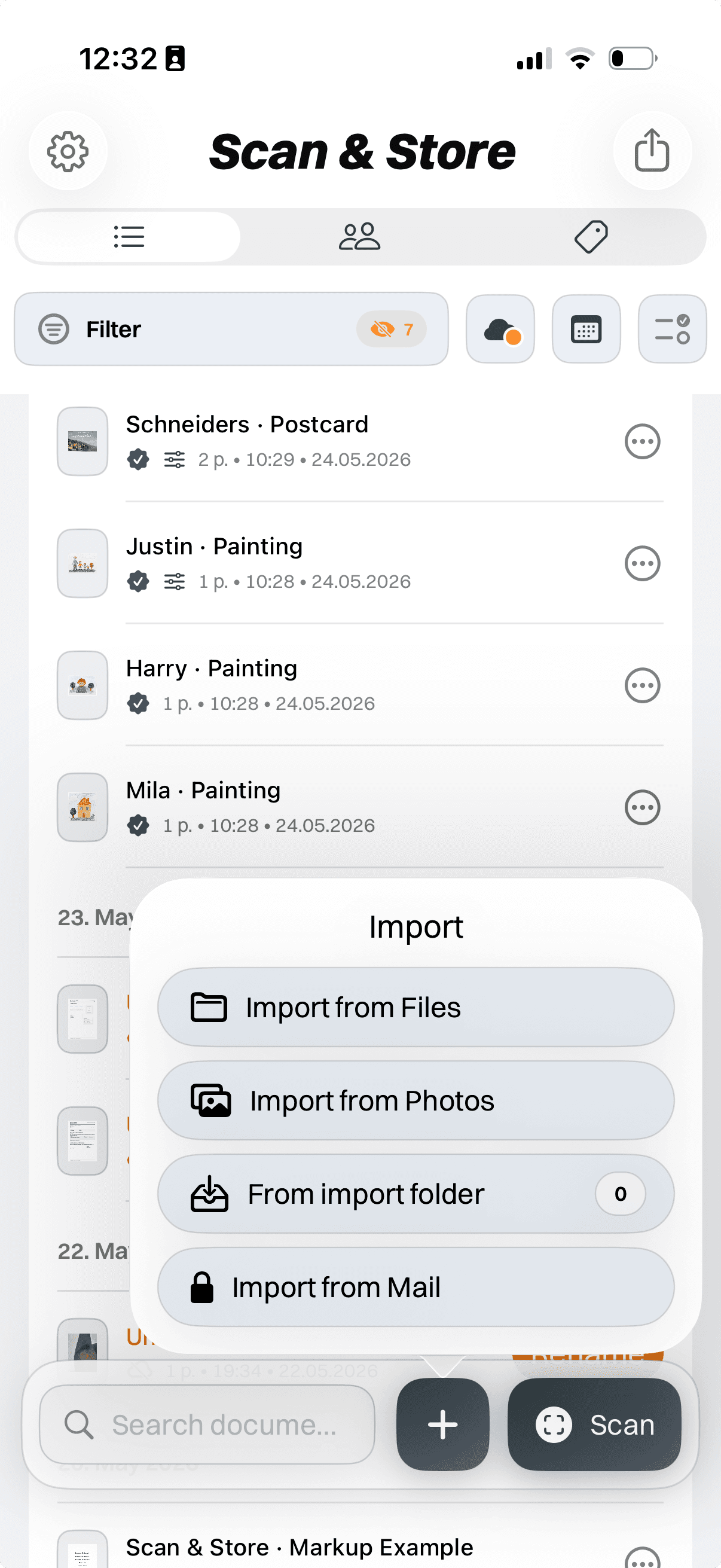
Scan paper, import PDFs, save photos, collect mail attachments or bring in cloud files. No matter where it starts, every document enters the same workflow — so you never need a different system for every source.

One effortless entry point for everything important.

  1. 1Capture
  2. 2Context
  3. 3File
  4. 4Find
  5. 5Edit
  6. 6Share
Bring in
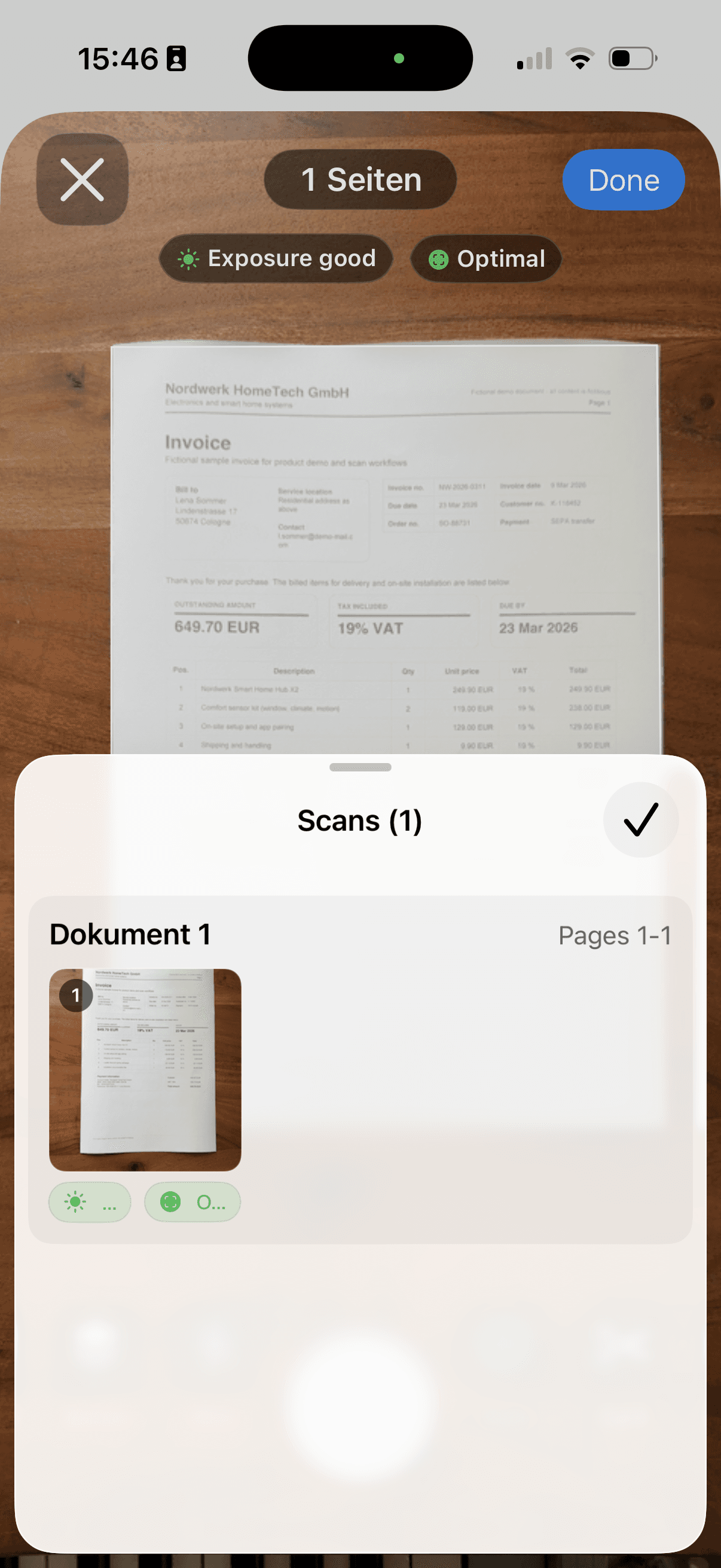
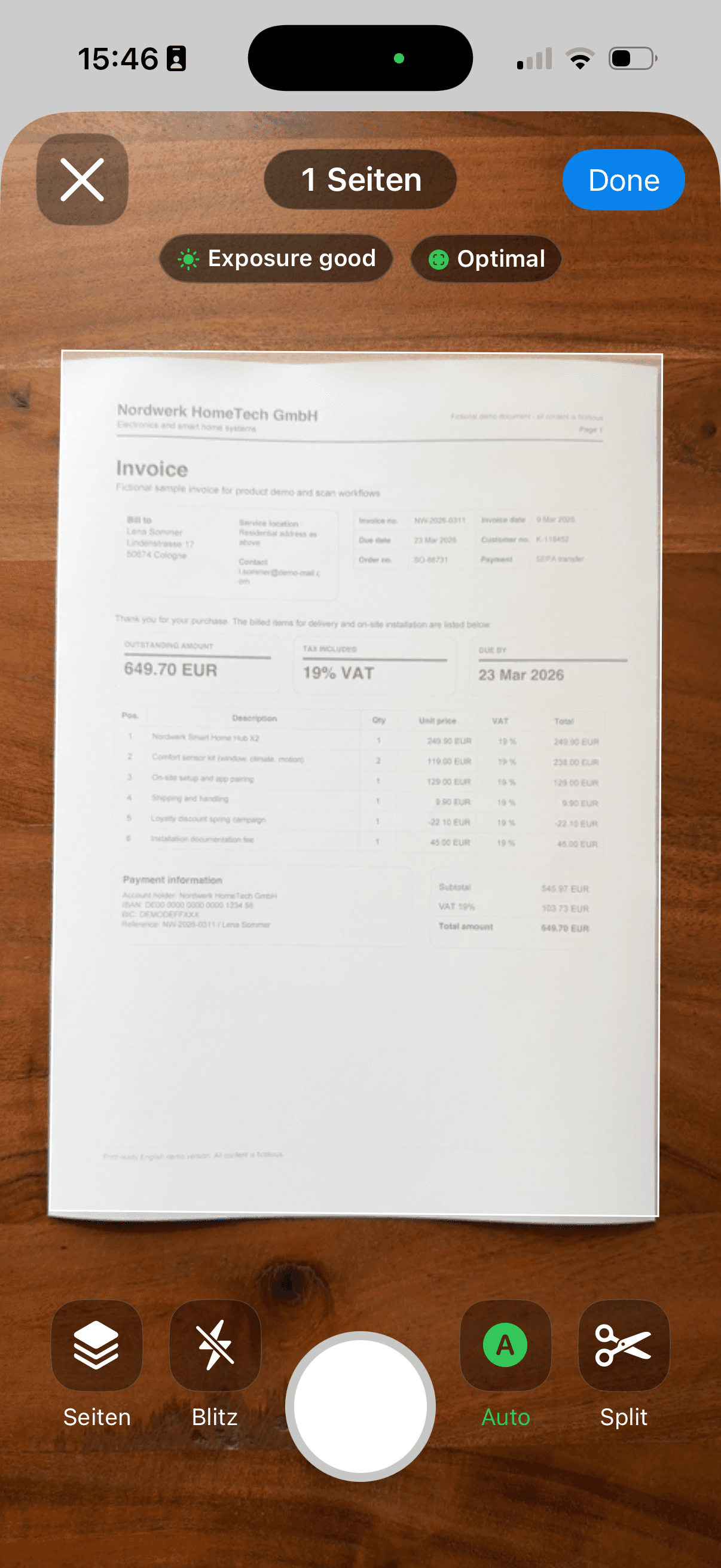
Scan & Store: Scan paper
iPhone bezel frame

Scan paper

Letters and receipts leave the table and enter the same flow.

Scan & Store: Import PDFs
iPhone bezel frame

Import PDFs

Existing PDFs get the same context as new scans.

Scan & Store: Photos
iPhone bezel frame

Photos

Proof photos move out of the camera roll and into the archive.

Scan & Store: Mail import
iPhone bezel frame

Mail import

Recurring attachments can arrive ready for the same flow.

Scan & Store: Cloud Folder
iPhone bezel frame

Cloud Folder

Cloud files do not need a separate filing habit.

Clean up

Fix small problems before they become archive clutter.

Check pages, crop edges, improve readability and catch duplicates before anything becomes part of your archive.

Scan / ImportPage ReviewFilter / CropDuplicate CheckContinue to Naming
Clean up
Scan & Store: Page review
iPhone bezel frame

Page review

Check the page order before anything is stored.

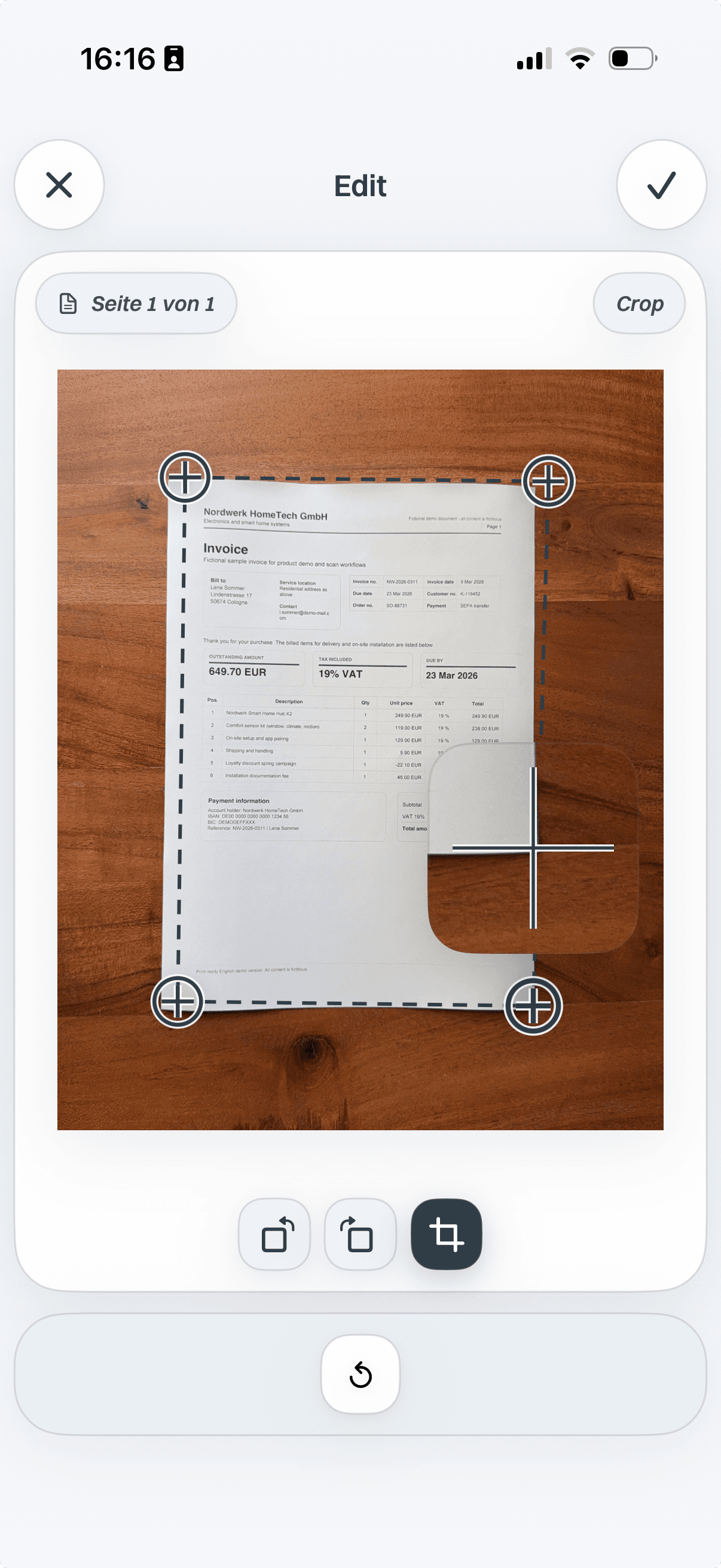
Scan & Store crop editor before page edges are adjusted
Scan & Store crop editor after page edges are adjusted
iPhone bezel frame

Crop page edges before saving.

Before cropCropped

Crop

Trim page edges so the saved document is readable.

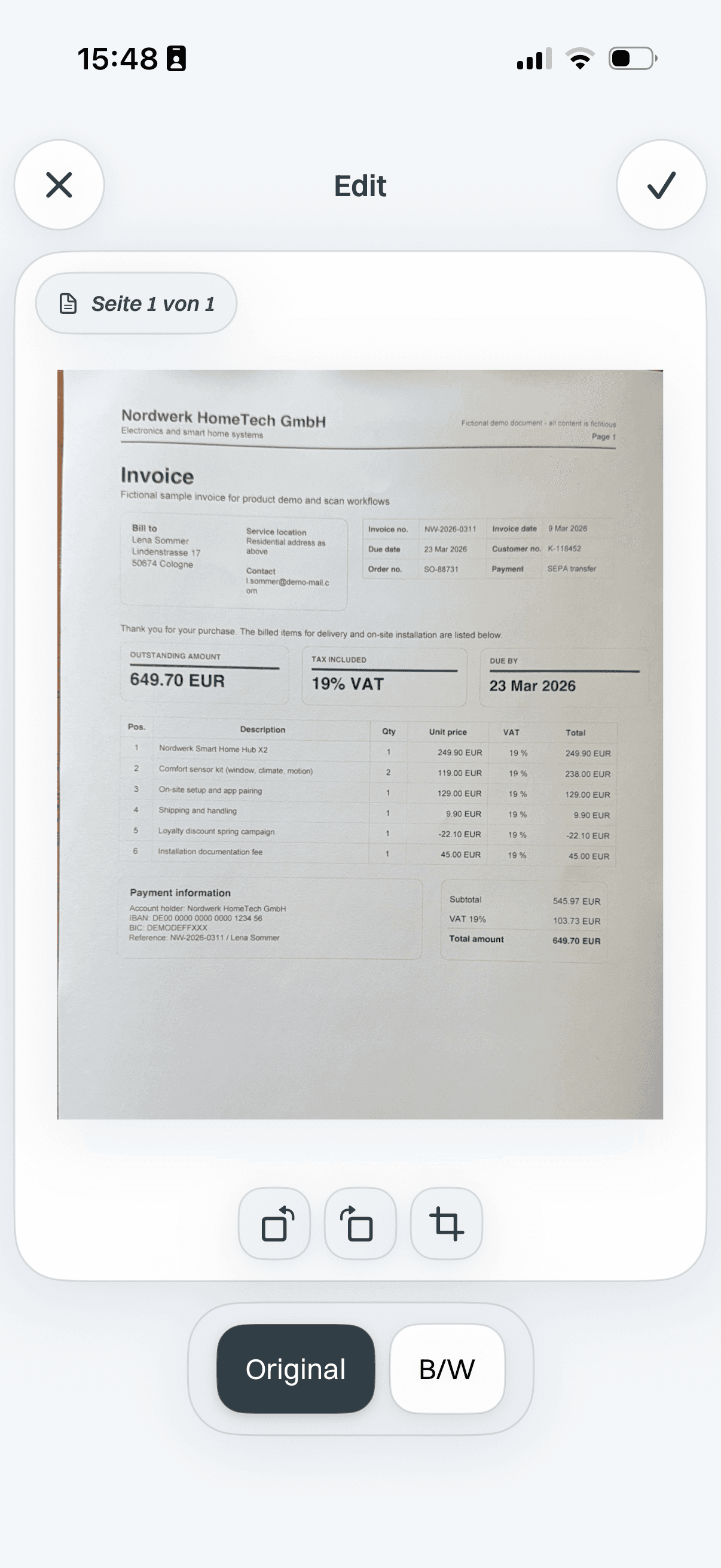
Original scan filter preview
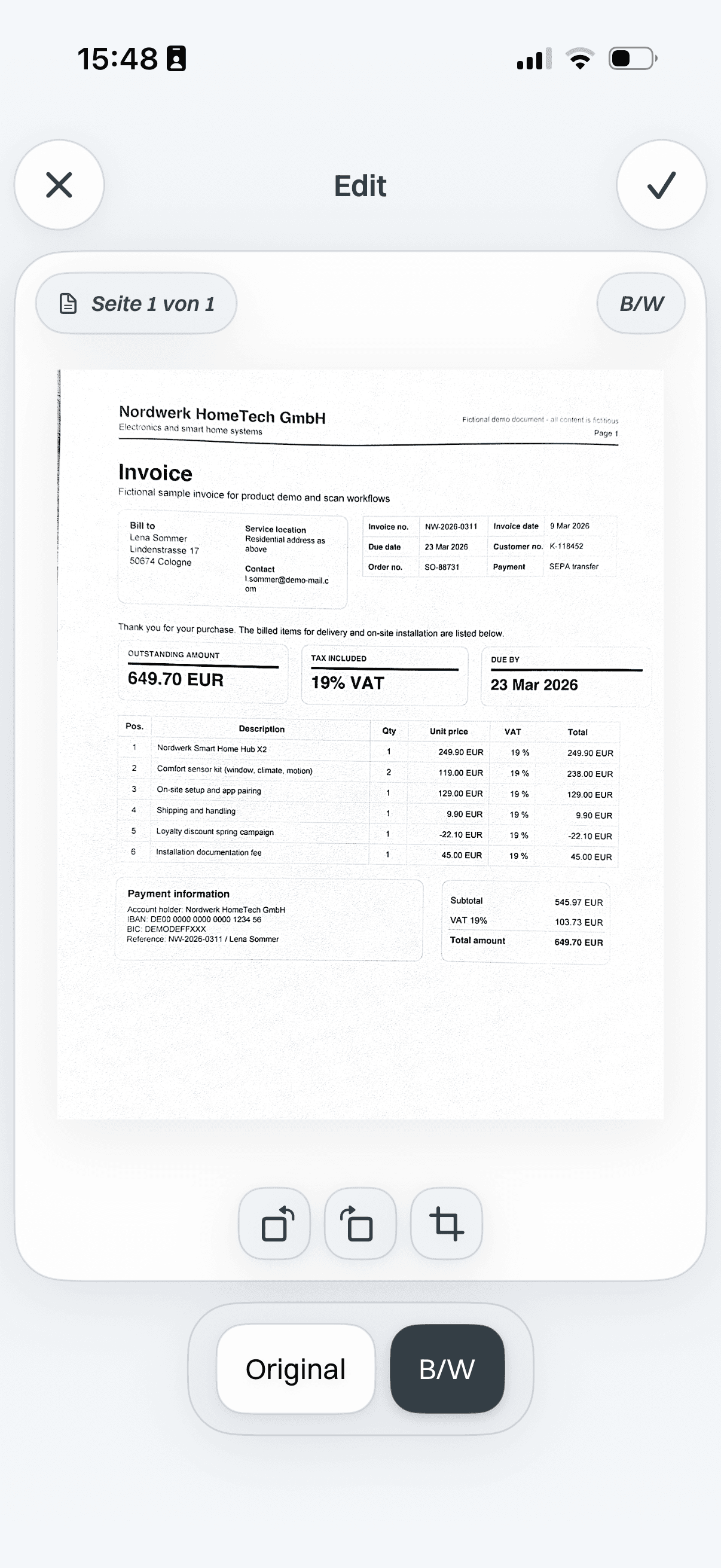
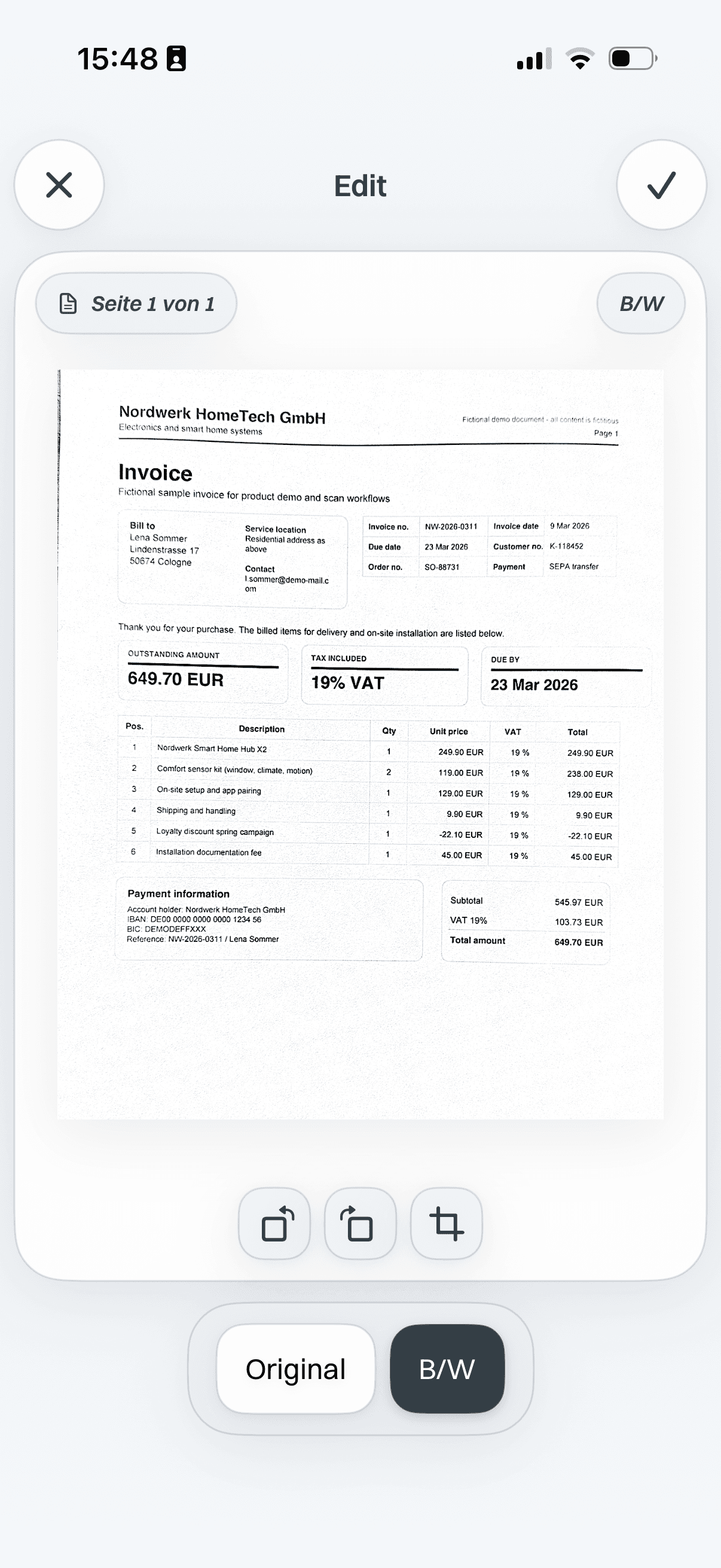
Black-and-white scan filter preview
iPhone bezel frame

Original or black-and-white filter

OriginalBlack-and-white

Filter before/after

Compare the original scan with a cleaner black-and-white version.

Scan & Store: Duplicate check
iPhone bezel frame

Duplicate check

Catch repeated pages before they clutter the archive.

Context

Turn random files into real documents.

A scan is just a file until it has context. Confirm sender, date, type and tags once — then the document has a clear identity in your archive.

A file gets stored. A document gets found.

Context
Scan & Store: Sender
iPhone bezel frame

Sender

Confirm who the document came from before saving.

Scan & Store: Date
iPhone bezel frame

Date

Give the archive a stable month and year to filter later.

Scan & Store: Type
iPhone bezel frame

Type

Separate receipts, contracts, forms and proof documents.

Scan & Store: Tags
iPhone bezel frame

Tags

Add context like insurance, school, warranty or property.

Scan & Store: Clean file name
iPhone bezel frame

Clean file name

Turn messy filenames into readable document names.

Find

The moment you need a document is the worst moment to start searching.

Find the right document by text, sender, date, type, month or tags — even when you remember the situation, not the filename.

SenderTagMonthYearTypeEditedShared
Find
Scan & Store: Text search
iPhone bezel frame

Text search

Search for warranty even when the filename is gone.

Scan & Store: Sender search
iPhone bezel frame

Sender search

Narrow results to the company or person behind the document.

Scan & Store: Month filter
iPhone bezel frame

Month filter

Jump to the month when the document likely arrived.

Scan & Store: Tag filter
iPhone bezel frame

Tag filter

Use tags to collect related documents quickly.

Scan & Store: Type filter
iPhone bezel frame

Type filter

Limit the result to receipts, contracts, forms or proof.

Scan & Store: Edited/shared filter
iPhone bezel frame

Edited/shared filter

See what has already been prepared or sent.

Finish

Finish the task without leaving the flow.

Sign, redact, highlight, crop, filter or add notes right where the document already lives — so an open document can move closer to done.

FilterCropSignatureRedactNotesHighlightForms
Finish
Scan & Store: Sign
iPhone bezel frame

Sign

Add a signature without leaving the document routine.

Scan & Store redaction editor with selected sensitive areas
Scan & Store document preview with sensitive areas redacted
iPhone bezel frame

Hide sensitive fields before sharing.

Selected fieldsRedacted copy

Redact

Hide sensitive fields before you share a copy.

Scan & Store: Highlight
iPhone bezel frame

Highlight

Mark the relevant line before sending the document.

Scan & Store document editor before notes and markups are added
Scan & Store document editor after notes and markups are added
iPhone bezel frame

Add context before you share.

Before notesWith notes

Notes

Add reusable context for the next share or email.

Scan & Store original scan before filter adjustment
Scan & Store filtered black-and-white scan preview
iPhone bezel frame

Clean up the scan before saving.

OriginalFiltered

Crop/filter

Fix page edges and readability before export.

Scan & Store: Original vs edited
iPhone bezel frame

Original vs edited

Choose whether the original or edited copy should leave the archive.

Share

Share the right document without the usual hassle.

Send one PDF, a ZIP bundle, a filtered collection or a shared cloud link through your chosen provider — with the right version, the right context and no desktop needed.

Find it. Choose the version. Share it. Done.

Choose the format and version.

Send one PDFBundle as ZIPCreate a cloud linkPrint directlyProtect PDF exportChoose original or edited version
Share
Scan & Store: Single PDF
iPhone bezel frame

Single PDF

Send one document when the request is simple.

Scan & Store: ZIP bundle
iPhone bezel frame

ZIP bundle

Package selected files for a larger case.

Scan & Store: Cloud link
iPhone bezel frame

Cloud link

Share a readable export through your own cloud.

Scan & Store: Print sheet
iPhone bezel frame

Print sheet

Place multiple scans on one printable page.

Scan & Store: Password-protected PDF export
iPhone bezel frame

Password-protected PDF export

Protect the exported PDF file when it contains sensitive details.

Scan & Store: Original or edited version
iPhone bezel frame

Original or edited version

Decide which version should be exported or sent.

Control

A personal archive that stays yours.

Documents stay local by default. Use your own cloud when you want sync or restore, keep readable folders and export existing local documents when needed.

Control
  • Local-first
  • Your own cloud optional
  • Readable cloud folders
  • Password-protected PDF export exports
  • Original or edited exports
  • Export local docs

When life asks for proof, you already have it.

Use Scan & Store before paperwork becomes urgent — when support asks for a receipt, tax season starts, a damage case happens or a contract suddenly matters.

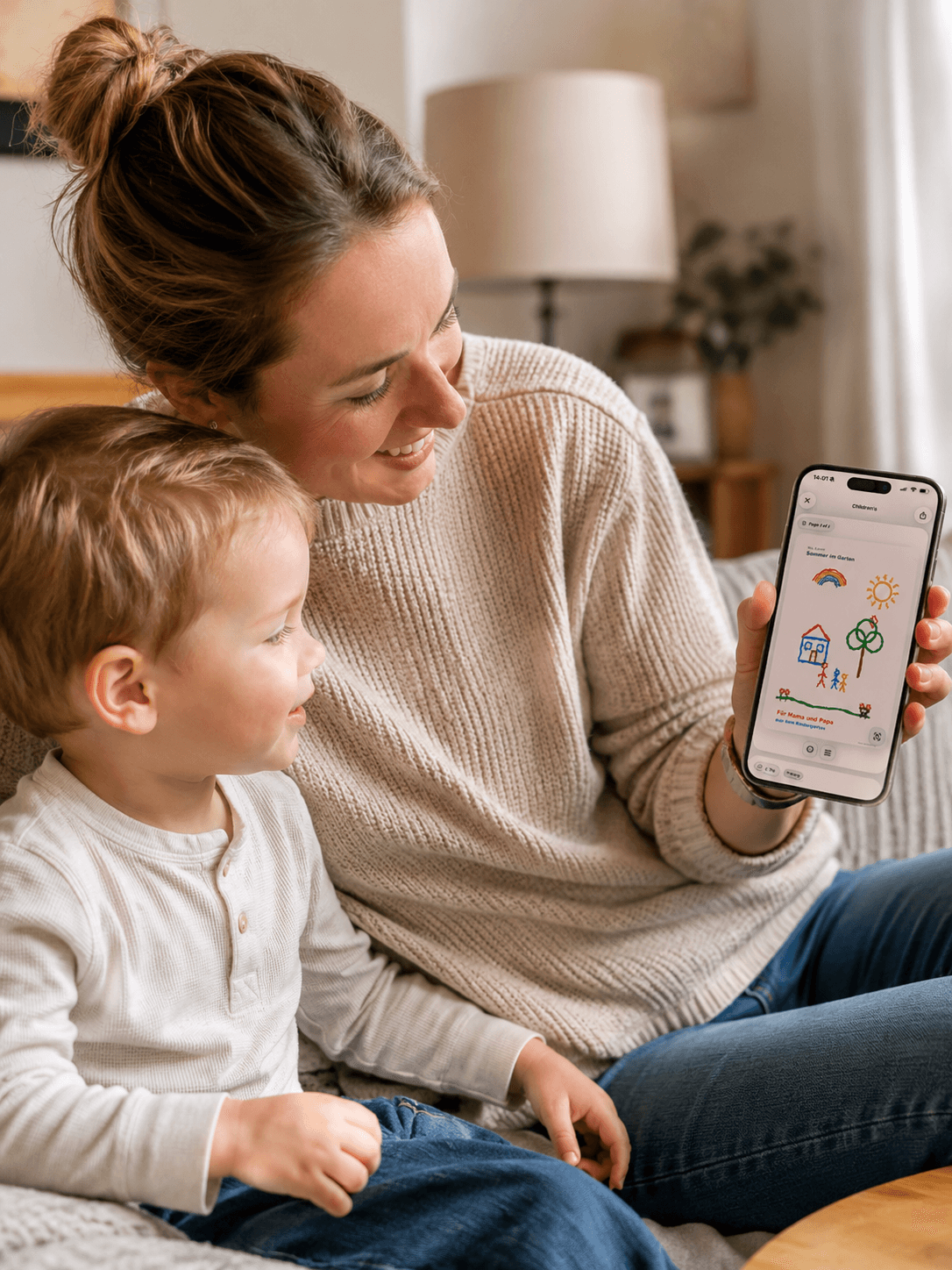
Parent and child looking at a scanned children’s drawing in Scan & Store on iPhone

Family and household

Not every photo belongs in your gallery.

Children’s drawings, school notes, receipts and family paperwork can leave the counter and camera roll before they disappear.

  • Children’s drawings
  • School notes
  • Receipts
  • Family paperwork
Construction site scene showing property paperwork and documentation for Scan & Store

Apartment and property

Keep proof ready before the question arrives.

Contracts, handover notes, repair invoices and site photos stay together, so property issues are easier to document later.

  • Handover records
  • Damage photos
  • Repair invoices
  • Contracts

Where is the receipt?

Find the receipt before support asks twice.

What do I need for taxes?

Collect receipts and invoices without folder digging.

Can I prove the damage?

Keep photos, invoices and insurance documents together.

Where is the contract?

Keep contracts, handover records and damage photos ready.

Did I save that school note?

Save school notes, medical papers and children’s drawings before they disappear.

Where is the booking?

Keep travel confirmations, tickets and rental documents ready.

Keep your archive

Build the archive you’ll be glad to have later.

A trial or introductory offer may be available when Apple shows it. Monthly or yearly plans unlock the full scan, import, naming, search, editing, sharing and sync routine.

Yearly

Best value for a stable archive routine.

Best value

App Store price

Apple shows your local price before purchase

Coming soon for iPhone

Monthly

Short-term flexibility without a long commitment.

App Store price

Apple shows your local price before purchase

Coming soon for iPhone

Basic Access

After cancellation

Existing local documents stay viewable and exportable even without an active subscription.

  • View existing local documents at any time
  • Export existing local documents whenever needed
  • No subscription required for Basic Access

FAQ

Is Scan & Store only a scanner app?

No. Scanning is only one way documents enter the flow. The core value is handling important paperwork once, then finding, editing, exporting or sharing it later.

Can I use it without cloud sync?

Yes. Scan & Store is local-first. Cloud sync is optional if you want backup, restore or access through your own cloud provider.

Which cloud providers are supported?

Google Drive, Dropbox, and pCloud are supported for optional sync and restore. iCloud Drive is not offered as a production cloud provider in V1.

What happens if I cancel?

In the installed version, Basic Access keeps viewing and exporting existing local documents. Premium unlocks scanning, import, naming, search, editing, sharing, and sync.

Can I share documents without changing my archive?

Yes. Cloud shares are separate export copies, so shared collections do not mutate the original archive.

Can I export edited or redacted documents?

Yes. For redactions, use the edited export. Original exports keep the original document, so always check which output you share.

Support Search

Handle the next document the easy way.

Do it right once, find it anytime and share the right version when needed.

Coming soon for iPhone