Search and retrieval
Find it later
Search later by OCR text, sender, type, month, or tags instead of digging through folders.
Automatic sorting. Manual confirmation.
Scan, import, organize, edit, and find personal documents without losing control. Scan & Store turns scattered PDFs, paper documents, and attachments into a structured archive you can search, export, and optionally sync with your own cloud provider.
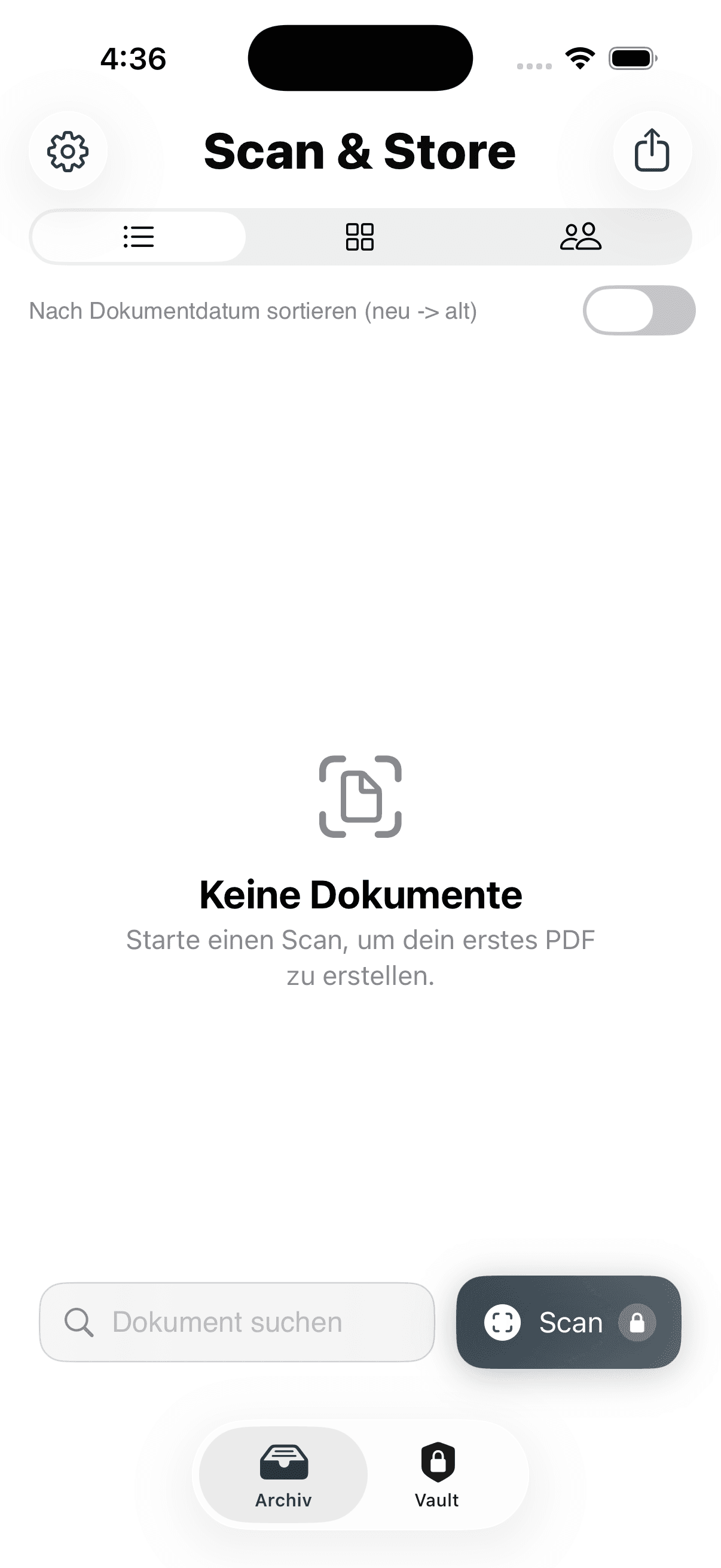
Show a real path from scan or import to detected metadata, confirmation, archive search, and export.
Built for private iPhone users with recurring documents. The system combines automatic suggestions, manual confirmation, searchable retrieval, editing, export, and optional cloud sync.
Search later by OCR text, sender, type, month, or tags instead of digging through folders.
Check suggested date, sender, type, folder, and tags before the document becomes part of the archive.
Fill forms, add signatures, redact sensitive details, annotate pages, and export original or edited output with optional password protection.
Connect Google Drive, Dropbox, or pCloud, choose a folder, and restore a full archive later when needed.
Review the strongest product moments one by one: capture, confirm, organize, find later, sync when needed, and export clean output.
01 of 8
Capture / Screen
Screen slide
Use camera, PDFs, photos, and shared files without breaking the same archive routine.
Capturing pages is easy. Finding the right document months later is the real problem. Scan & Store is built for recurring private paperwork, not temporary scan piles.
One repeatable routine for scanning, organizing, editing, and finding personal documents later.
.png&w=384&q=75)
The app turns capture, confirmation, storage, retrieval, editing, and export into one connected flow.
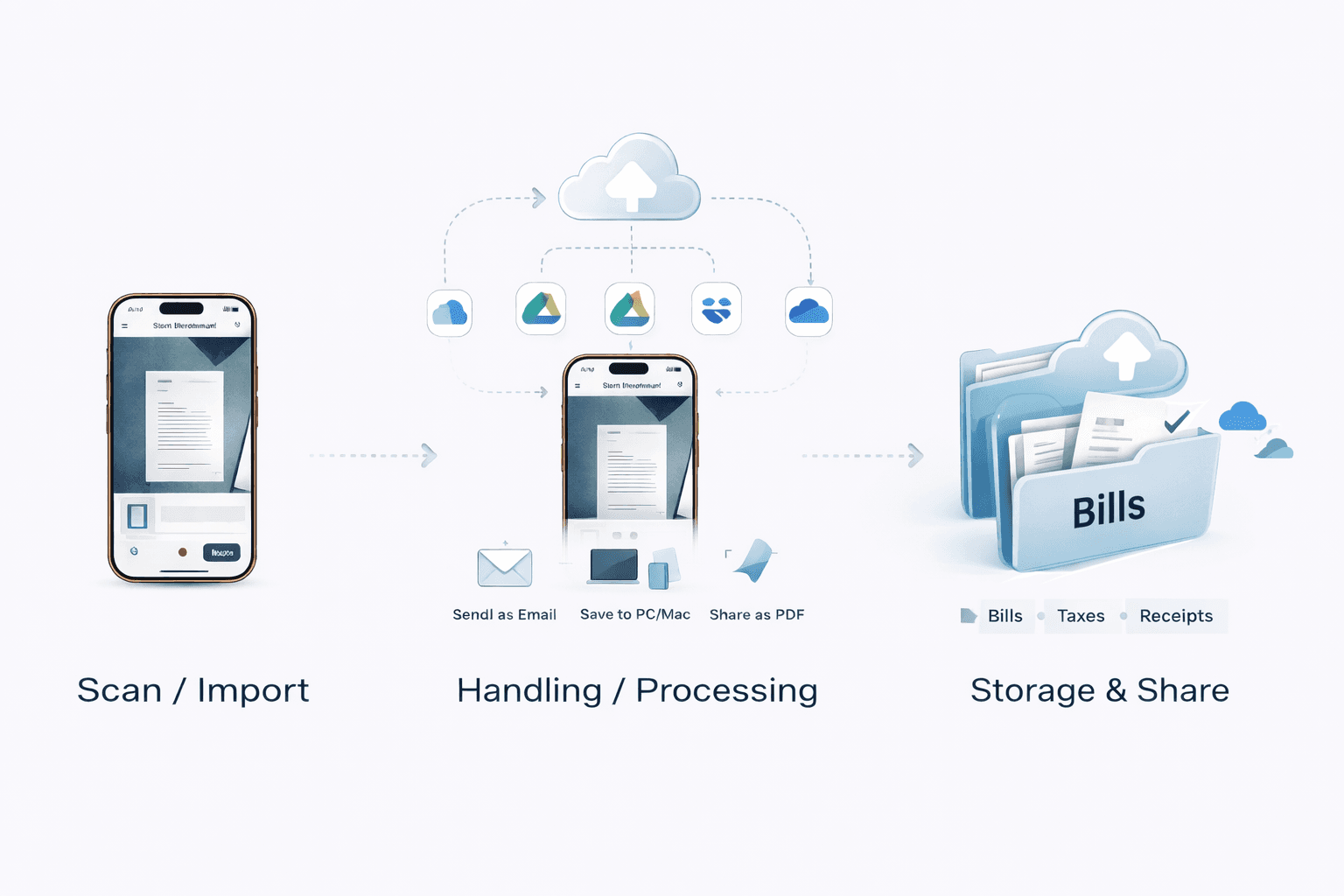
Use it for documents you need to find again later, not just scan once and forget.
Paid plans unlock scanning, import, OCR, organization, editing, and sync. Without an active subscription, existing local documents stay viewable and exportable.
Keep your archive
Scan paper or bring in PDFs, photos, and shared files without creating a second document workflow.
Fill PDF forms, add signatures, notes, markings, and redact sensitive details before export.
Choose original or edited output and add PDF password protection when needed.
Use OCR, sender views, tags, filters, and archive structure to get back to the right document fast.
Connect Google Drive, Dropbox, or pCloud, choose a folder, and restore a full archive later.
$24.99 / year
$2.08 per month
Best value for a stable archive routine.
$2.99 / month
Flexible monthly access
Short-term flexibility without a long commitment.
$0
Read and export only
Existing local documents stay viewable and exportable even without an active subscription.
Start 7-day free trial
Monthly and yearly plans unlock the full archive workflow. Basic Access keeps viewing and exporting existing local documents in the installed version.
Start trialFAQ + Support Archive
Search with your own wording and get grounded answers from FAQ entries, workflow guidance, pricing, and product behavior.
It is built for private iPhone users who want one archive for bills, contracts, receipts, warranties, insurance papers, and other recurring personal documents.
No. Scanning is the entry point. The core value is organizing, finding, editing, exporting, and optionally syncing personal documents later.
Yes. The archive is local-first. Cloud sync and restore are optional if you want them, but they are not required for the core workflow.
In the installed version, Basic Access keeps viewing and exporting existing local documents. Premium unlocks scanning, import, OCR, organization, editing, and sync.
Yes, but the safe version is the edited export. Original exports keep the original file, so you should check which output you share. Optional PDF password protection protects the export file, not the archive as a whole.
Use one calm routine for capture, structure, retrieval, editing, export, and optional sync.